UC Widgets › UC Action Hub › Online Booking System
Online Booking System · a UC Action Hub moduleAn online booking system for your website: let the calendar fill itself
Visitors pick a branch, service and person, then book an open slot themselves; confirmation email, calendar file and reminders go out automatically. You just watch your confirmed calendar in the panel. For appointment-based businesses, from clinics to salons.
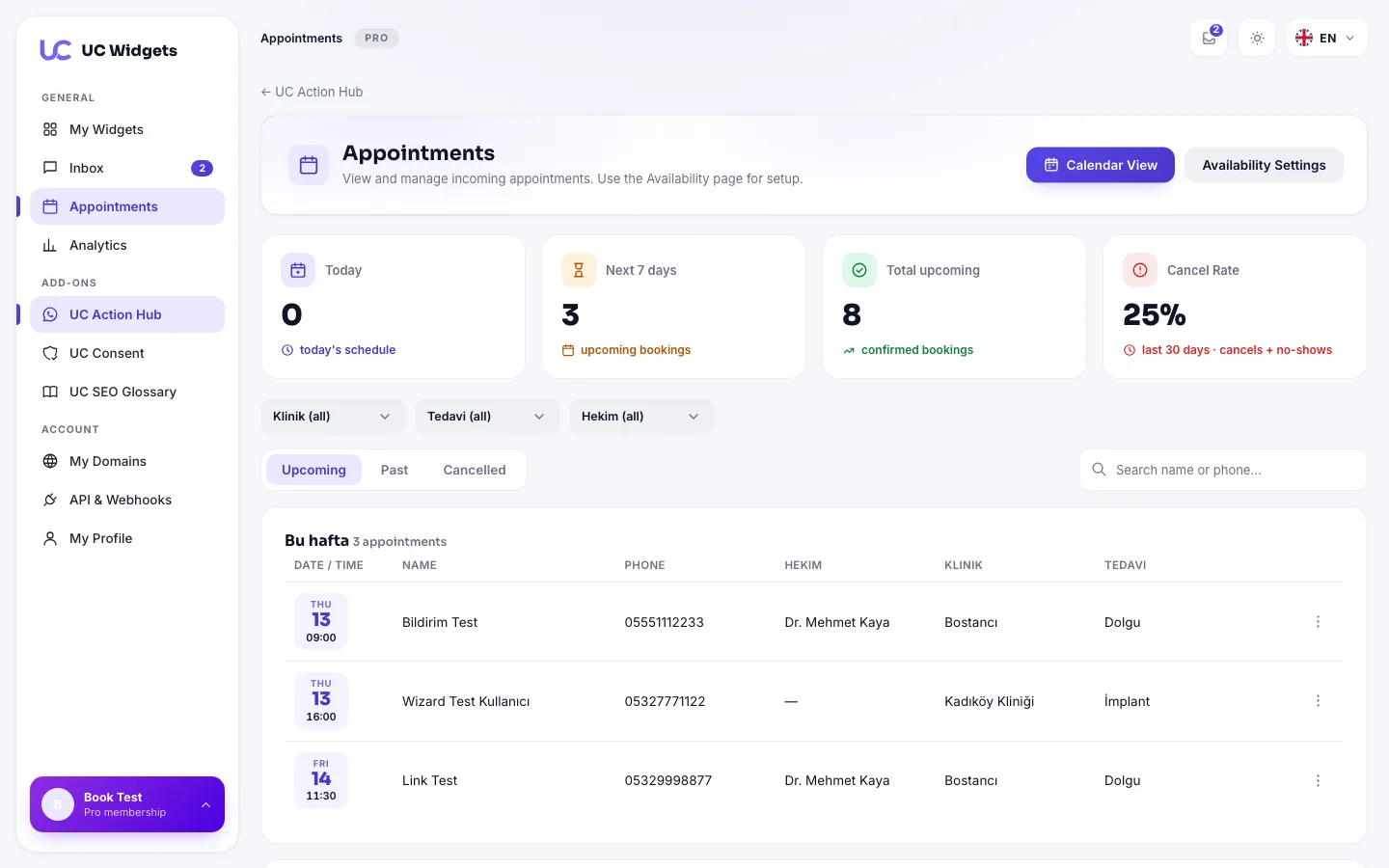
The Appointments panel: today, the next 7 days and the cancellation rate at a glance.
Visitors book themselves in 4 steps
A step-by-step wizard opens in your on-site widget: branch › service › person › date and time. They leave their details and the booking is created instantly. Even at 2 AM.
- Only open slots are shown: your working hours, holidays and full slots are excluded automatically; visitors never see an unavailable time.
- Double-booking is impossible: a slot takes only as many bookings as its capacity; a second request for a full slot is never accepted.
- Instant confirmation and calendar file: visitors get a confirmation email and an ICS file that adds the appointment to their phone calendar in one tap.
- Self-service reschedule and cancel: through the private link in the confirmation email visitors view, move or cancel their booking; no phone calls to you.
Branches, staff, capacity: built for real businesses
Not a simple calendar form; designed around the real structure of multi-branch, multi-staff businesses.
Setup and capacity
- Branch, service and staff management: define multiple branches, service types and staff members; visitors pick the right combination.
- Working hours and holidays: weekly schedules, per-person hours, closed days and public holidays are ready in your calendar.
- Service duration and capacity: set each service duration and how many bookings a slot can take.
- Time zone support: bookings from abroad land at the correct hour.
- Sector terminology: "Select doctor", "Select staff", "Select consultant"; the widget speaks your sector's language.
Reminders
- Automatic email reminders: 24 hours and 2 hours before; windows are configurable and re-arm for the new date if moved.
- One-click WhatsApp reminders: from the panel, with an editable pre-written message.
Tracking
- Calendar and day views: monthly calendar, day lists and quick-action menus; move and cancel from the panel.
- No-show tracking: see how often each customer failed to show up.
- REST API and webhooks: push bookings into your own system instantly.
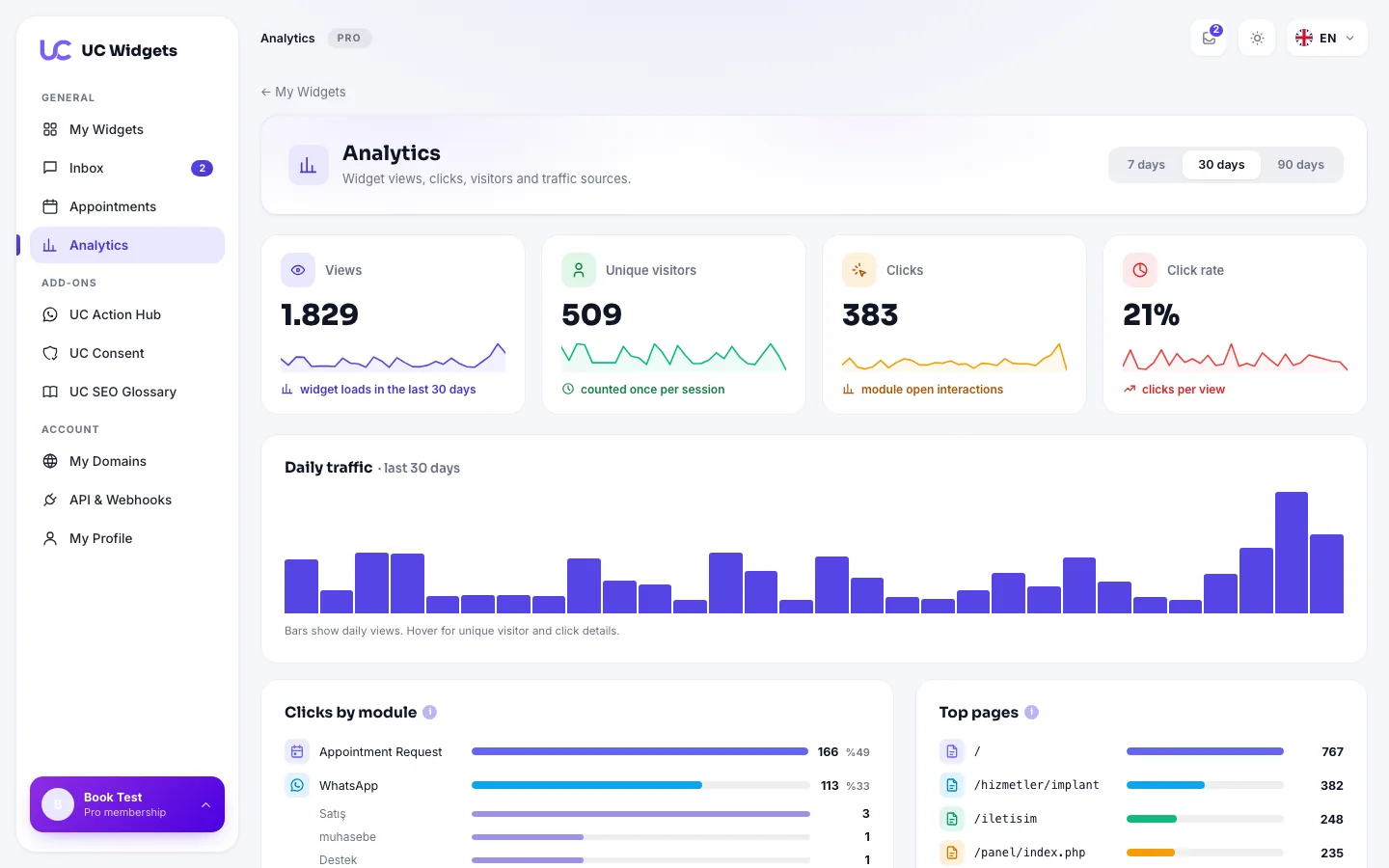
Which channel do your bookings come from? Statistics live in the panel.
Booking is the start; 7 channels in the same bubble
The booking module is part of UC Action Hub: WhatsApp, phone, email, social media, contact form and complaint form live in the same widget.
Try free for 14 days, then decide
One subscription covers every UC widget.
Free
- WhatsApp, phone, email and social media modules
- View and click statistics
- 1 domain
Pro
- Online booking system (branches + staff + reminders)
- Contact and complaint form modules
- Multiple numbers and department cards
- Branding removal + 3 domains
Frequently asked about the booking system
Which businesses is the booking system for?
Can double-booking happen?
How do reminders work?
Can visitors change their appointment later?
Does it add to calendars?
Is the booking system free?
Start filling the empty calendar today
Every Pro feature free for 14 days; we never ask for a card and nothing is charged when the trial ends. Pro $49 / year; one subscription covers every UC widget.
Try Free for 14 Days